Showing pitch names
Our “Show pitch names” feature automatically displays the pitch name of each note, directly next to the notehead. You can quickly toggle them on or off.
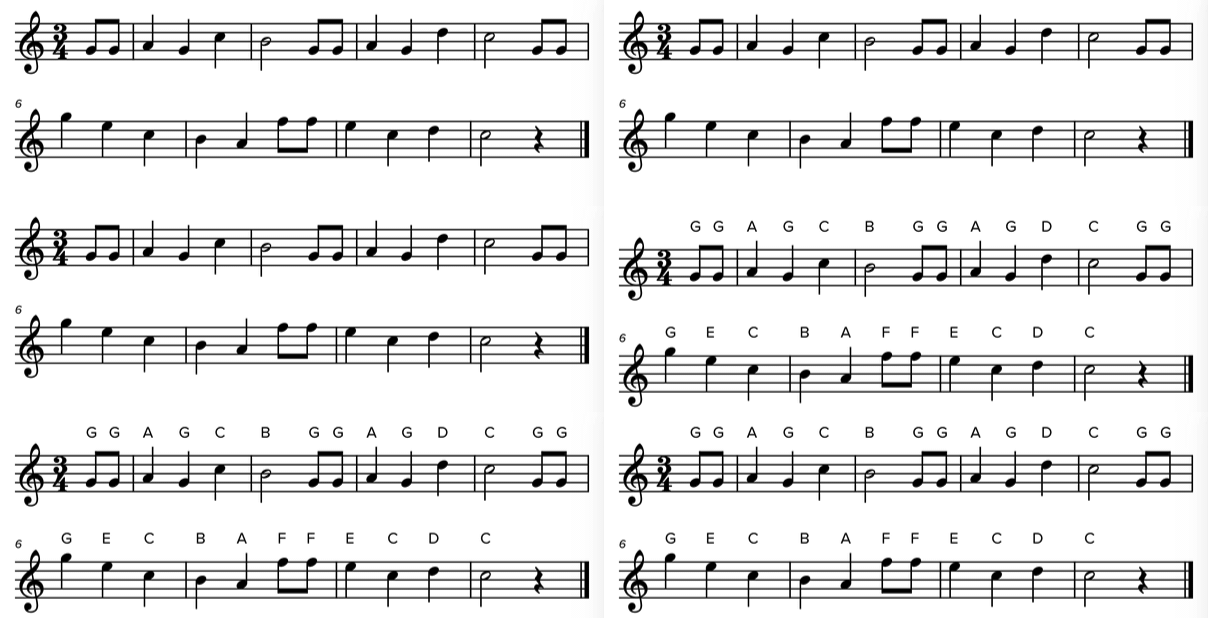
This is handy for beginner students who are still learning to read music.
Curious to see how it works? Here’s an example you can play with.
Activating pitch names
To display pitch names, click at lower right to open the player settings, then find the Appearance section. Click “+ More” to display the advanced options, then find “Pitch names.”
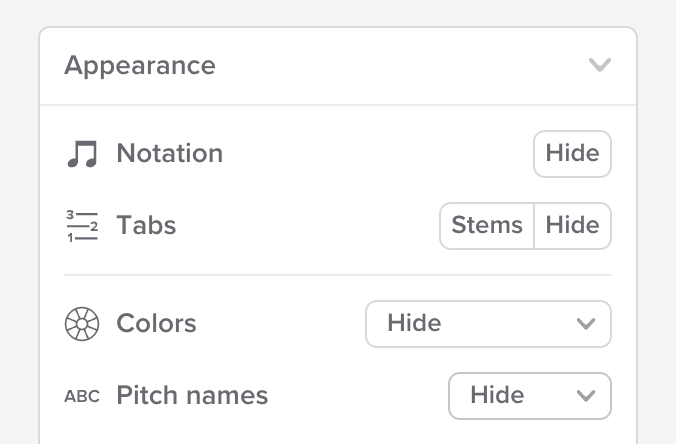
In some cases, pitch names might already be visible when you first load a slice. That can happen if the slice’s creator decided to display the pitch names by default. If you don’t want to see them, you can toggle them off the same way you’d toggle them on.
Pitch naming conventions
When you activate pitch names, you select the naming convention to use. Here are the available options:
A-B-C — the letters A-G.

German — like A-B-C, but it uses an H.

Scale degree — 1 through 8, where 1 is the root in the current key signature.

Solfège (fixed do) — Do, Re, Mi, etc., where Do is always C.

Solfège (movable do) — Do, Re, Mi, etc., where Do is always the root in the current key signature.

Availability
You’ll only see the “Pitch names” option if:
- You’re in any of our paid plans, or
- The slice owner has activated the feature
Slice owners, see here for how to enable the feature for anybody viewing your slice.
Does this work with chords?
Yes indeed. In case of chords, we stack the pitch names on top of one another, so they remain easy to read.
Does this work with multi-voice music?
Yes indeed.
In the scale degree and movable do conventions, how does Soundslice know what the root pitch is?
This is calculated from the key signature and mode. See our key signatures page for information on how to set these.
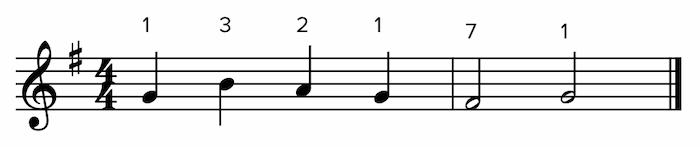
For example, if the key signature has a single sharp and the mode is major, the pitch “G” is the root:
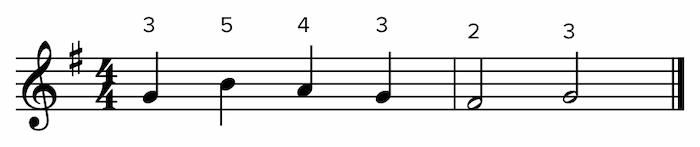
If the key signature has a single sharp and the mode is minor, the pitch “E” is the root:
If I transpose music, will the pitch names reflect that?
Yes. If you use our transposition feature, pitch names will automatically be updated to reflect the current transposition.
Note: in the scale degree and movable do conventions, the pitch names won’t actually change if you transpose. That’s because those pitch names are relative to the key signature, so transposition has no effect on them.