State-of-the-art music scanning
Turn PDFs and photos into music you can hear, edit and practice.
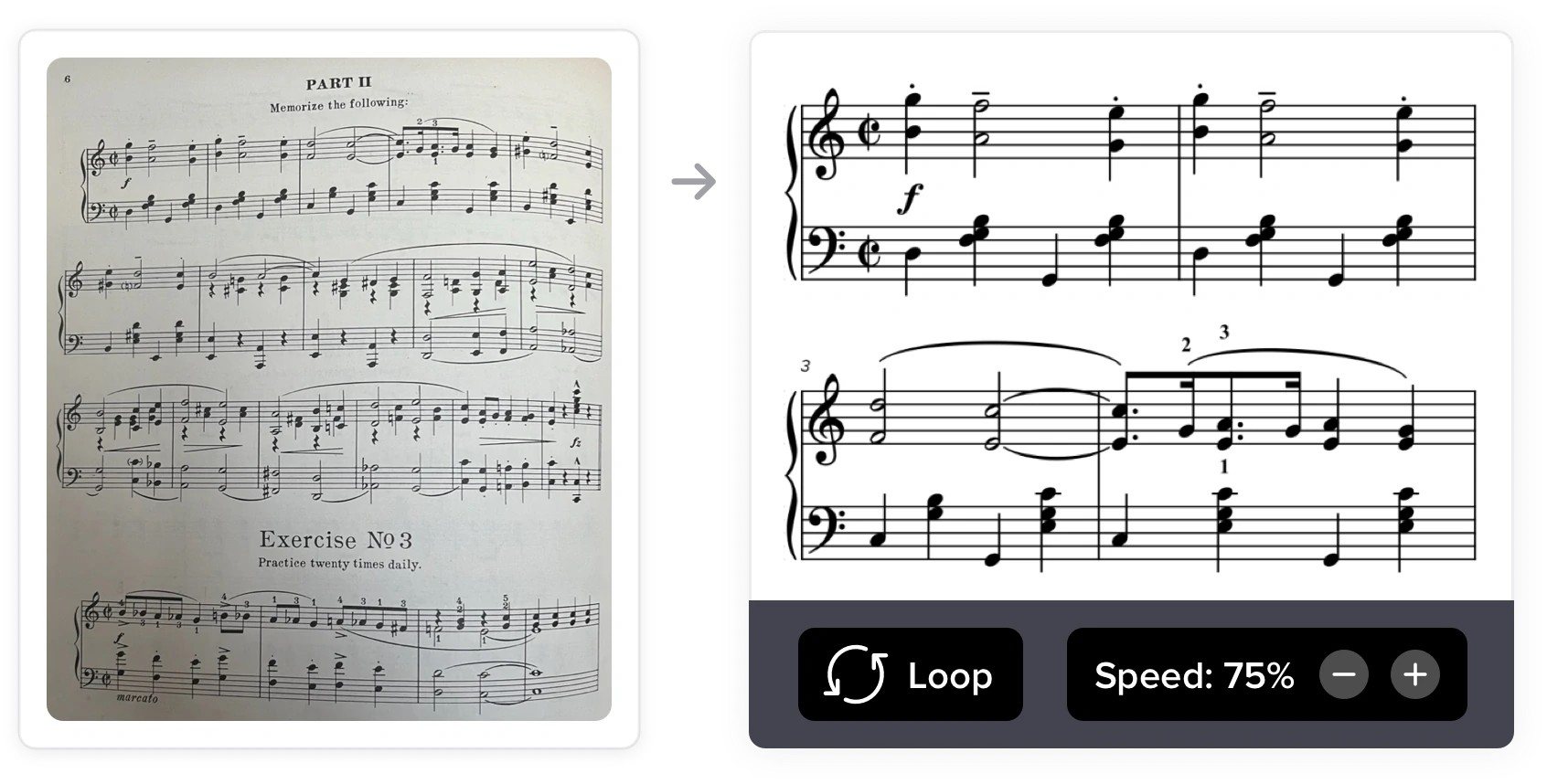
How does it work?
-
Upload a PDF or photos. We’ll figure out the pitches, rhythms, rests and so on. Takes about a minute per page, depending on the music.
-
You’ll get an interactive score. You can play it back, transpose, solo individual parts and much more. Your PDF just got a huge upgrade.
-
There’s nothing to install. Everything happens directly in your web browser and works from a phone, tablet or computer.
After the scan
-
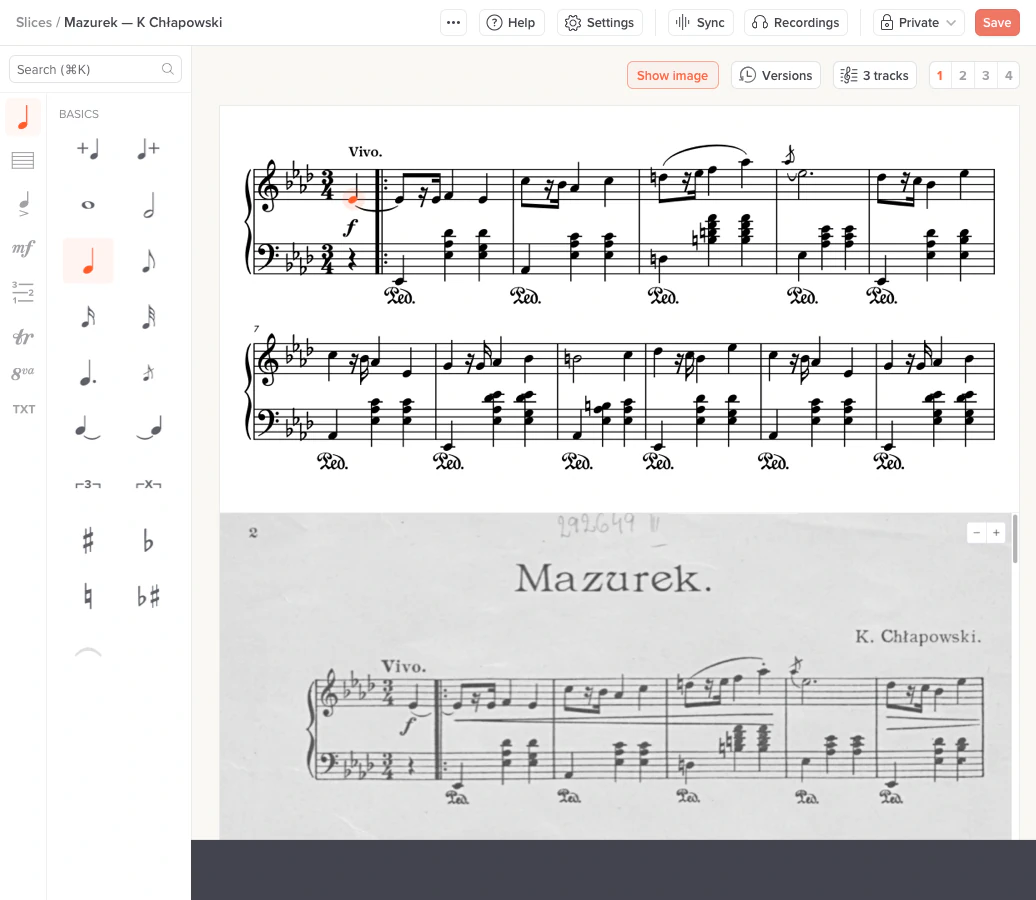
Edit to your heart’s content. Our full-featured notation editor lets you rearrange, simplify or complicate the music — all without leaving Soundslice. We’ll show you the original image inline, for quick comparison.
-
Learn and practice the music effectively with our suite of the Internet’s best music practice tools. Instrument visualizations, looping, practice tracking, speed training and more.
-
Sync with audio or video. Find your favorite performances from YouTube or sync MP3s to make the ultimate study environment, custom-tailored to your repertoire.
-
Export to MusicXML or MIDI, which can be opened by other modern music notation software.
How our scanning is different
-
It’s highly accurate. It’s powered by artificial intelligence algorithms that have learned from a wide diversity of real-world scores.
-
It’s highly tolerant. Wavy staff lines, bad lighting, low-resolution images — no big deal. Other software chokes on this; we take it in stride.
-
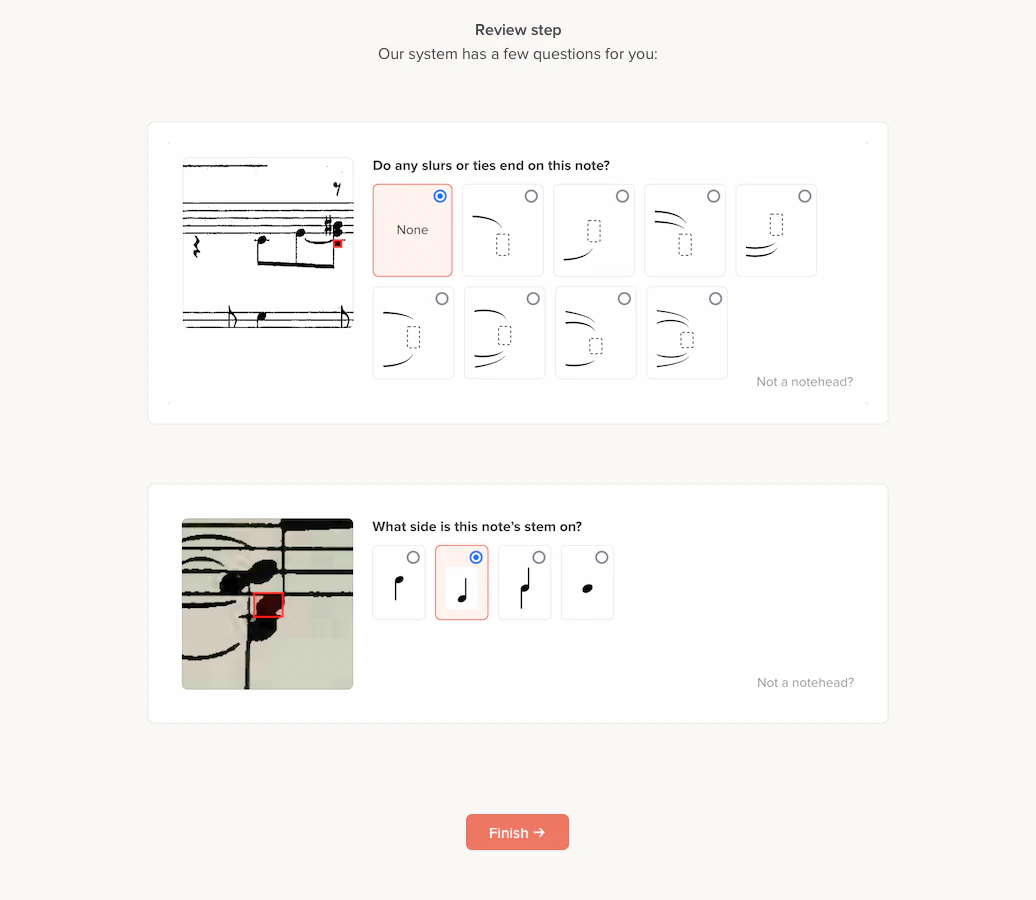
It asks you for help. For music we’re not 100% sure about, we’ll ask you for clarification instead of just making a (possibly incorrect) automatic decision.
-
It’s under active development. We’ve custom-built this system, and we’ve hand-labeled thousands of scores over several years of work. We’re constantly improving it. Read the latest updates here.
More than just scanning
Soundslice is used by thousands of people every day to practice, teach, transcribe, and run music education sites. Our scanning feature is just one part of it. Here are our plan options:
Highlights…
- Web-based notation/tab editor
- Create an unlimited number of slices
- Sync with YouTube videos
- Import MusicXML, Guitar Pro
- Use it on any device
- And much more…
Everything in Free, and…
- Sync with uploaded MP3s/video
- Print/export slices you’ve created
- Share slices via secret link
- Scan music from PDFs and images
- Auto-save player settings
- And much more…
Everything in Plus, and…
- Organize lessons into private courses
- Share securely with students
- Give feedback via private comments
- Enable student performances
- Scan even more PDFs and images
- And much more…
Everything in Teacher, and…
- Embed Soundslice in your site/app
- Use any publishing system
- Define your own access rules
- Extensive customization options
- Organization accounts
- And much more…
Questions and answers
What’s the process of scanning my music into Soundslice?
For step-by-step details on how it works, see here.
What sorts of notation does the system support?
The “bones” of music — pitches, rhythms, rests, barlines — are well supported. For current limitations, see here.
How long does importing take?
Generally a minute per page, but it could be faster or slower depending on the specific music.
Are there limits on usage?
Yes. There’s a limit on how many you can upload per month. Free accounts are limited to one page and 32 bars.
Does this support tablature?
Yes. We detect tablature, whether or not it has an attached standard-notation stave. Caveats apply for tab-only music.
Does this support drums/percussion?
Yes. We detect percussion clefs, along with various types of noteheads that are commonly used in percussion music. We can also detect single-line percussion. Read more here.
Does this support lyrics?
Yes. We detect lyrics in over 20 languages, including those using non-Latin scripts. The detected lyrics are fully editable after scanning.
Does this support chord diagrams?
Yes. We detect chord diagrams (the fretboard grids commonly printed above guitar music).
Does this support non-concert-pitch instruments, like B flat clarinets?
Yes. As part of the scanning process, you can specify instrument transposition so that the notes are interpreted correctly. Read more here.
What file formats does this support?
JPG, PNG, GIF, BMP, PDF, HEIC, TIFF and WEBP. If you want to use a more esoteric image format, put it into a PDF and upload that PDF.
Does this support both vector PDFs and non-vector PDFs?
Yes. It doesn’t matter whether your PDF uses vectors (as generated by modern notation software) or is effectively a photograph. Either way is cool.
Does this support handwritten music?
Maybe. It might work if the handwriting is nice and clear, but the system works best for published (engraved) music. Sorry for the wishy-washy answer, but it’s really a case-by-case thing.
After I scan, can I solo or mute specific instruments?
Yes. See Showing/hiding parts and notations to learn about this powerful feature.
After I scan, can I transpose?
Yes. Using our built-in notation editor, you can transpose your music to any other key.
How long can my PDFs be?
We can process 25 pages at a time. When you upload a PDF, you can select which specific pages to scan.
After I scan, can I export into some other program?
Yes. You can export as MusicXML, which is readable by all modern music notation software. But keep in mind we have an excellent built-in editor, so it’s often faster just to make edits directly in Soundslice.
I’m a beginner musician. How can this scanning feature help me?
We make your paper sheet music easier to learn from. You can play back the audio, solo/mute parts, view a piano keyboard visualization, overlay pitch names for each note, slow down to manageable tempos and more.
What happens if the system makes mistakes?
You can use our built-in notation editor to make any fixes as needed. We’ll display the original image for easy cross-referencing.
Ready to get started?
Create a Soundslice account to scan your first PDFs or photos.
Sign up to get startedNeed any help? Contact us any time.